Launch, run and scale your ads with AI.

AI agents launch, run and report on Meta and Google Ads for Shopify brands, inside the limits you set. From $49 a month, no share of ad spend.

5 one-time tasks. No card.

0:00 / 0:46

Works with the tools you use

  • Meta Ads
  • Google Ads
  • Shopify
  • Klaviyo
  • Triple Whale
  • Google Drive
  • Slack
  • Telegram
  • Discord
  • Claude
  • ChatGPT

The product

From ad account to revenue.

Adrails reads your accounts, builds campaigns, runs them inside your limits, reports on revenue and improves itself if you want. The figures below come from an example store.

01

Reads the whole account.

It connects your Meta and Google Ads accounts with your store and analytics, and reads them as one: what sells, what each sale costs and what changed.

Account review

Last 30 days

CampaignSpendROAS
US | Prospecting | Broad$18,4202.6x
US | Retargeting | 30d$6,1805.1x
CA | Prospecting | Lookalike$9,2401.4x
Brand Search$3,9608.7x
Shopping | Bestsellers$7,3103.2x

Two ads in CA | Prospecting | Lookalike send traffic to a product out of stock in Shopify.

Next step: pause 2 ads

Every source, one review.
Ad accounts, store and attribution, read together.
Ask in plain words.
Answers come with the figures behind them.

02

Builds the campaign.

Give it a brief. It prepares the campaign, the ad sets and the ads with their copy, from the assets in your folder, ready to publish.

Campaign draft · Meta Ads

Draft

LevelName
CampaignSpring launch | Prospecting
Ad setBroad · US · 25 to 54
AdBuilt for the long run.
AdLight enough to forget.
AdShips in two days.

Assets from Google Drive · Spring 2026

Ready to publish

From a brief to a full structure.
Campaign, ad sets and ads, in one draft.
Your assets, your folder.
Images and videos from a connected Google Drive folder.

03

Runs it inside your limits.

Automations check spend and results on a schedule and act when a figure crosses the line you set: pause an ad, move a budget, send the report.

Daily budget rules

Today, 09:00

  • Paused

    Ad “Ships in two days.”

    Cost per purchase $48, over the $35 limit for 3 days

  • Raised

    US | Retargeting | 30d, $200 to $240 a day

    ROAS 5.1x, above the 4.0x target

  • Kept

    US | Prospecting | Broad

    Within every limit

Limits: cost per purchase under $35 · budget changes up to 20% a day · $2,000 a day in total

Limits you set once.
Accounts, schedule, thresholds and a daily cap.
Every change on record.
What ran, when, and the figure that triggered it.

04

Reports on revenue.

Spend, purchases and revenue across Meta and Google in one view, so every decision starts from what paid.

Revenue report

Meta and Google · Last 30 days

Ad spend
$45,110
Revenue
$150,190
ROAS
3.3x
Purchases
2,617
Sep 16Sep 30Oct 15
One scorecard for both channels.
Meta and Google, judged on the same revenue.
Reports on a schedule.
The figures and the next move, every Monday.

05

Runs without you, and improves.

Once set, automations keep running day and night. Turn on self-improvement and every result tunes the next run: limits, timing and rules adjust on their own.

Cost per purchase

Self-improvement on

This week
$16.30
8 weeks ago
$19.90
Change
-18%
123
8 weeks agoThis week
  1. 1Lowered the Canada limit to $35 per purchaseWeek 2
  2. 2Fresh ads before any budget raise over 20%Week 4
  3. 3Budgets move at 07:00, when sales startWeek 6
Runs while you are away.
Schedules keep running, nights and weekends included.
Improves only if you want.
Off, each adjustment waits for you. On, it applies and logs it.

Everything your ads need.
In one place.

Know which ads make money

Revenue and ROAS per ad, from your store's own sales.

Launch from a brief

A short brief becomes a full campaign, ready to publish.

Rules that run themselves

Pause, scale and report on a schedule, inside your limits.

Reports where your team works

The weekly numbers and the next move, in Slack, Telegram or Discord.

Ads that last, studied.
Briefs built from them.

Public ads from your market, with how long they ran and what they spent.

Ask where you work.
Answers from your accounts.

Easy to start.
Nothing to rebuild.

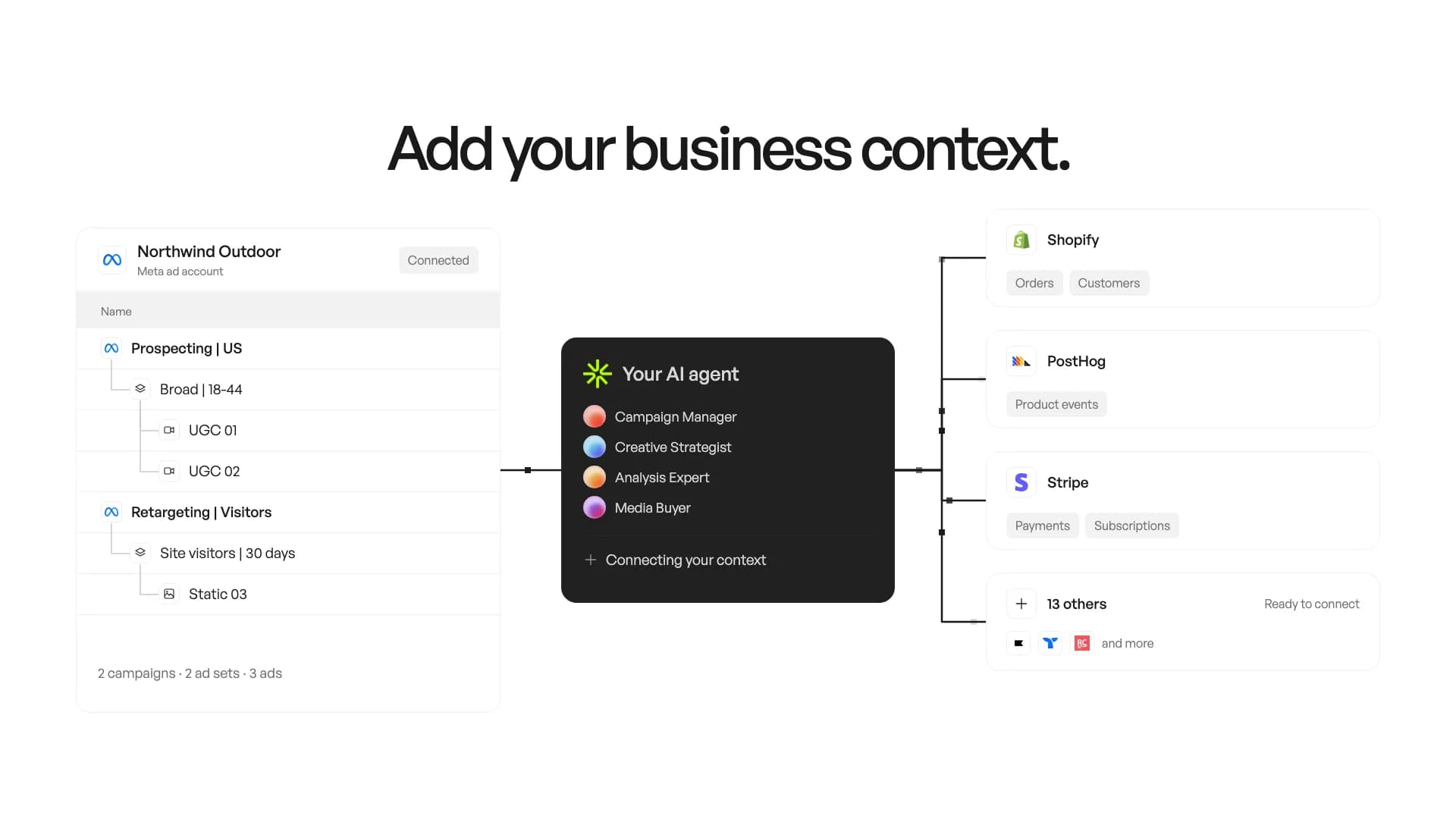
Connect what you already use. Adrails learns your store from what is there.

  • Meta Ads
  • Google Ads
  • Shopify
  • Klaviyo
  • Triple Whale
  • Google Drive
  • Slack
  • Telegram
  1. 01

    Connect

    Your ad accounts and your store.

  2. 02

    Learn

    What sells and what each sale costs.

  3. 03

    Launch

    Campaigns from a short brief.

  4. 04

    Autopilot

    Automations inside your limits.

From $49/month. No share of your ad spend.

5 free tasks. No card.Compare plans

Before you connect.
Short answers.

What is Adrails?

Adrails is ad management with AI agents. You describe what you want to launch, test or improve, and specialized agents do the work with the context of your ad accounts and business data. Campaigns, split tests, automations and reporting live in the same workspace.

What runs on its own?

Syncs, scheduled reports, alerts and split test verdicts run without anyone opening Adrails. An automation can pause what crosses a threshold, within the accounts and the limit per run you set. A change an agent prepares, such as a launch or a budget change, is applied when you confirm it.

Which ad platforms are supported?

Meta Ads and Google Ads, for campaign creation, account actions and reporting, with global totals converted to the workspace reporting currency. TikTok Ads is coming soon.

Is there a minimum ad spend?

No. Adrails has no minimum ad spend and takes no percentage of it. Your ad spend stays in your own ad accounts. Plans are based on tasks, so you can start with one account and a small budget. Each ad platform still sets its own campaign budget requirements.

What happens to my account data?

Adrails stores the account data needed to show your workspace, prepare drafts, preserve templates and keep the history of applied changes. Your account data is used to operate your workspace.

How do I cancel my plan?

The workspace owner can choose Cancel plan in Settings > Plan, without a call. You keep paid access until the end of the billing period, then the workspace returns to Preview. Payments for unused time are not refunded. Monthly and yearly billing are available; a yearly contract is not required.