Field guide
How to write a reusable skill for your ad team's agent
Write the recurring task as a skill with five parts: when to use it, the inputs it needs, numbered steps, a fixed output format and an approval boundary. This guide gives the template, a suggested weekly account check, and a rule for choosing between a skill, a shortcut and an automation.
By Adrails · AI-assisted guide · Published
01
The short answer: write the method once, in five parts
Put the task into a skill in Knowledge, under Skills. A skill tells the agent how your team handles a task, and the agent looks up relevant skills on its own when a request calls for one. Write the procedure so that someone who has never seen your account could follow it: when it applies, what it needs, what to do in order, how to present the result, and where the agent must stop.
Adrails gives you fields for a Name, a Skill key (lowercase letters, digits and hyphens), When to use, and a Procedure of 30 to 4,000 characters, with Markdown allowed. The trigger goes in When to use. The inputs, steps, output and approval boundary go inside the Procedure text, so you write them out yourself.
02
Check the starter skills first
A new workspace starts with a set of skills, such as performance diagnosis, budget pacing, scaling decisions and launch checks. You can edit them, delete them or add your own. Before you write a weekly check from scratch, open Skills and see whether a starter skill already covers part of it. Adapting one may be quicker than adding a near-duplicate.
03
The template, part by part
This is a suggested structure for your team, not an Adrails requirement. Use the same parts in every skill so skills are easy to review and compare.
- Trigger (the When to use field): describe the kind of request, such as a weekly check of one account, not one specific message.
- Inputs (a heading in the Procedure): list what the agent needs before it starts, such as the ad account, the period and your target cost per result. For each one, say what to do when it is missing: ask, or skip that step and say so.
- Steps: number them, one action each. Name the metric and the period in every comparison.
- Output: fix the order of the answer, and say what the verdict line is based on.
- Approval boundary: state which changes the agent may propose and which it must leave alone.
04
Worked example: a weekly account check (a suggestion)
This is a suggested skill for illustration, not an Adrails feature or recommended standard. Replace every number with your own targets.
Name: Weekly account check. Skill key: weekly-account-check. When to use: the user asks for the weekly check, weekly review or Monday check of one ad account.
Procedure, as you would paste it. ## Inputs: Ad account, required; if it is not named, ask and do not guess. Target cost per result, required for step 2; if missing, ask, and if the user has none, skip step 2 and say so in the verdict line. Monthly budget plan, optional; if missing, skip step 4 and say so. ## Steps: 1. Read the account's performance for the last 7 days and for the 7 days before. 2. Flag each campaign whose cost per result over the last 7 days is more than 20% above the target. 3. List ads that spent in the last 7 days with no results. 4. Compare spend so far this month with the plan. ## Output: one verdict line based on the number of flagged campaigns and no-result ads over the last 7 days, then up to five findings, each with a figure and its period, then proposed actions. ## Approval boundary: propose a pause or a budget change as a proposal only, at most one budget change per campaign, and never describe a change as applied.
Arithmetic for step 2: with a target cost per result of 20.00, the flag line is 20.00 x 1.20 = 24.00. A campaign at 26.00 is flagged. One at 23.50 is not.
05
Set the approval boundary honestly
A skill guides the agent and grants nothing. The agent reads it as a workspace procedure, below your request and Adrails' own rules, and it cannot approve or apply a change. Every proposal is a card with Apply and Reject, and nothing is sent to Meta or Google Ads until an owner or administrator applies it. Proposals carry safety limits: a single budget change is capped at 30%, and an increase needs measured spend and results behind it.
So the boundary in your skill shapes behaviour and wording, not security. Writing never describe a change as applied keeps the answer accurate, but the approval step is what protects the account.
06
Scope, permissions and versions
Only owners and administrators can create, edit and delete skills. Members can read them, and the agent uses them in their conversations. Choose a scope when you save: all Meta accounts or selected ones, all integrations or selected connections. A skill is used only when its scope covers the whole selection of the request, so a skill scoped to one account is not used when a request also covers other accounts.
Saving an edit creates a new version and keeps the previous one. A skill you delete stays deleted: it is not added back.
07
Skill, shortcut or automation
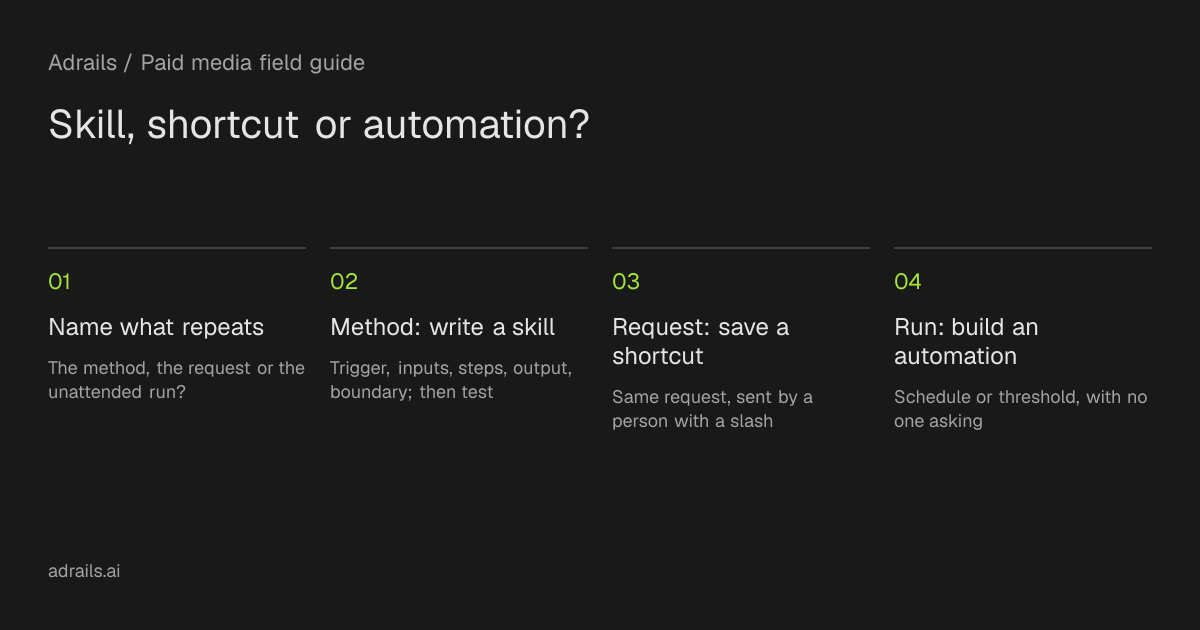
Use a skill when the method matters and the request varies. Use a shortcut when the request is the same each time: type a slash, pick it, review it and send it. In a shortcut, what you type replaces the input placeholder, or is added as an extra instruction if there is none. Use an automation when the task should run on a schedule or when a threshold is crossed without anyone asking.
They can work together, but the sources do not describe it. A shortcut that asks for the weekly check by name will likely help the agent find the skill. Treat that as behaviour to test, not a guarantee. An automation's agent step can only read. Changes come from separate Pause, Resume or Change budget steps, which either wait 24 hours for approval or, if you choose, apply automatically with the figures logged. Automatic budget steps follow the bounds you set, which can go past the workspace's limit on one budget change. Only owners and administrators can change automations.
- Skill: the same method, different requests.
- Shortcut: the same request, sent by a person.
- Automation: the same run, on a trigger, with no one asking.
08
What this evidence cannot tell you
The documentation describes how skills are stored, scoped and read. It does not show how closely the agent follows a given procedure, whether automation agent steps use skills, or how many reads a skill will trigger. The agent decides what it reads, so credit use varies. Each successful billable read and each completed change uses 1 action credit, while chat and arithmetic use none. Test the skill on a real request, compare the answer with your steps, and tighten any step the agent handled loosely.
Go further
Read more
- Knowledge and skillsSource and further reading for this guide.
- The agent and creditsSource and further reading for this guide.
- AutomationsSource and further reading for this guide.
Sources checked
FAQ
Common questions
Can a skill approve or apply changes for me?
No. A skill guides the agent and grants nothing. Proposals appear as cards with Apply and Reject, and only an owner or administrator can apply them.
Why did the agent not use my skill?
One possible cause is scope. A skill is used only when its scope covers the whole selection of the request, so a skill limited to some accounts is skipped when the request also covers others.
Who can write skills?
Owners and administrators can create, edit and delete skills. Members can read them, and the agent uses them in their conversations.
Do I have to start from a blank skill?
No. A new workspace starts with skills such as performance diagnosis and budget pacing. You can edit or delete them, so check them before adding a similar skill.
Next