Delivery diagnosis
Facebook ads active but not spending: a diagnosis table for store owners
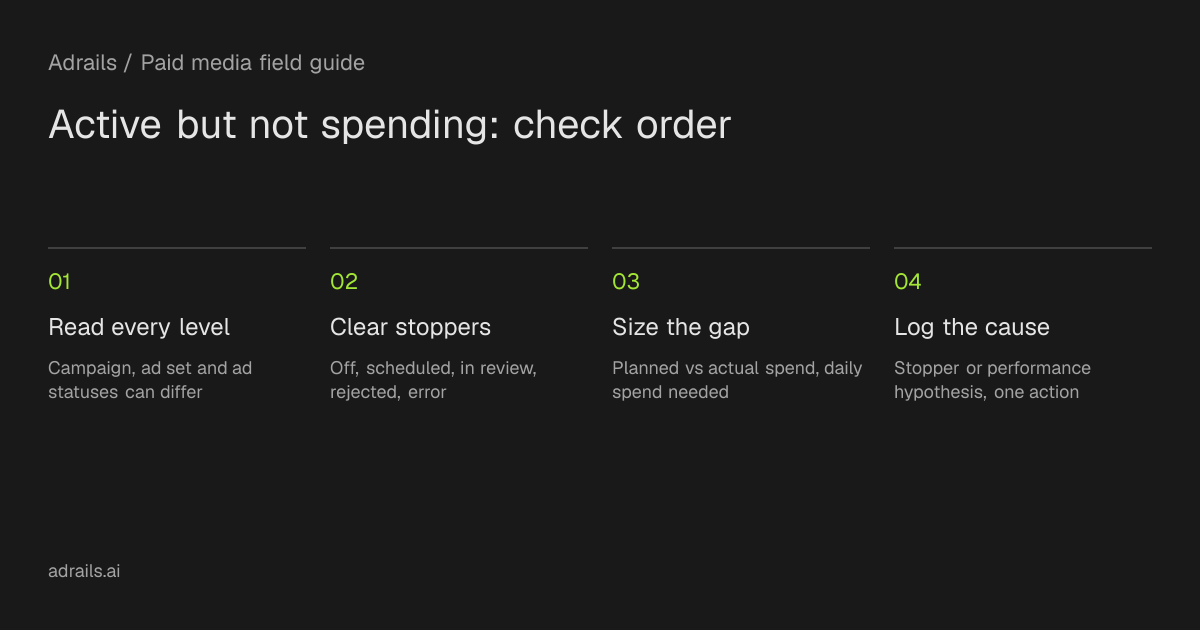
Start with the Delivery column at campaign, ad set and ad level, because a campaign can look active while a lower level is in review, off, scheduled or rejected. Then use the suggested triage table, size the pacing gap with an invented example, and log the cause you found.
By Adrails · AI-assisted guide · Published
Working reference
Suggested triage table with log notes
| Status or symptom | First check | Cause type | Log: what to write |
|---|---|---|---|
| Off, Ads off or Ad set off | Confirm the toggle at ad set and ad level, not only the campaign | Stopper | Level that is Off and who or what turned it off |
| No ads | Confirm the campaign or ad set has a published ad | Stopper | Ad set name and whether an ad was published |
| Scheduled | Open the ad set schedule and check the start date | Stopper | Start date shown and whether it was intended |
| In review, Processing or Preparing | Check recent edits; Processing can take up to 8 hours | Stopper | Time of last edit and status timestamp |
| Rejected | Open Meta's Troubleshoot a rejected ad topic and read the Advertising Standards reason | Stopper | Rejection reason and ad affected |
| Error or warning icon | Hover over the status for detail and any suggested action | Stopper (error) or limited delivery (warning) | Hover text copied verbatim |
| Completed or Inactive | Check whether the end date passed or a related item is off | Stopper | End date or the related item that is off |
| All levels Active, spend slowed or low | Use breakdowns for the date it changed; read activity history for pauses, late budget or schedule edits; then review bid cap, cost goal, Creative limited and audience size | Performance hypothesis | Date delivery changed, edit found, one action, review date |
Suggested triage order from this article, not an Adrails feature or a likelihood ranking. Status meanings come from Meta's delivery status page; hover text in Ads Manager takes priority.
01
Check the Delivery column at all three levels first
The first check is the Delivery column for the campaign, the ad set and the ad, not just the campaign. Meta's help page says these levels can have different statuses. Its own example is a campaign that appears active while the ad set or ad shows In review after recent changes. Meta recommends checking every level when you have delivery issues.
So an active campaign that does not spend is not yet a contradiction. Find the lowest level whose status is not Active and read that status before you touch budgets, audiences or creative.
02
Suggested triage order: clear stoppers before performance hypotheses
The table in the worksheet is a suggested triage order from this article, not an Adrails feature and not a Meta ranking. No source ranks which cause is most likely. The order simply puts statuses Meta describes as stopping or delaying delivery first (Off, Ad set off, No ads, Scheduled, In review, Processing, Preparing, Rejected, error icons, Completed, Inactive). Performance explanations come after, because they matter once the ads are eligible to run.
Meta says you can hover over some statuses, like errors and warnings, for more detail and any suggested action. Do that where it is available. For a Rejected ad, Meta's help navigation lists a separate topic, Troubleshoot a rejected ad; the sources do not say Rejected shows hover text.
The sources do not say how long most statuses last in your account. The one stated duration is Processing, which usually takes a few minutes and can take up to 8 hours.
- Stoppers: Meta describes the ad, ad set or campaign as not running, not yet running, or unable to run.
- Performance hypotheses: the ads may be able to run, but delivery is slow or uneven. Test these; do not treat them as proven causes.
- Payment and account restriction problems appear in Meta's support topics. The sources reviewed do not say how they show in Delivery, so use those help pages.
03
Worked pacing example (invented numbers)
This is a hypothetical example, not customer data. A store sets a $3,000 budget for a 30 day period. The straight-line target is 3,000 ÷ 30 = $100 a day. On day 10, expected spend is $1,000 and Ads Manager shows $240 spent.
Using Adrails' pacing formula, pacing is actual divided by expected: 240 ÷ 1,000 = 24 percent. The shortfall is $760. The remaining budget is 3,000 − 240 = $2,760 over 20 days, so the daily spend needed is 2,760 ÷ 20 = $138, which is 38 percent above the original $100.
The arithmetic only sizes the gap. It does not show why spend is low or that a $138 daily budget would deliver. Adrails' pacing guide notes that if the required rate is far above recent delivery, raising every budget at once may not be a clean catch-up. Find the cause first.
04
If every level is Active, look at what changed
Meta's troubleshooting page for campaigns that slowed or stopped applies to campaigns using Advantage+ campaign budget (also called Campaign budget) that were delivering and then slowed. It suggests using breakdowns to see when results changed, then checking activity history for edits made just before that point. It also says Meta may spend up to 75 percent over or below the daily budget on a given day.
The edit patterns it names are frequent pauses through the day, budget or schedule changes near the end of the day, and extending the campaign schedule. Its example: doubling a daily budget at 10pm leaves the system only 2 hours to spend it, so that day may under-spend and the next day may compensate.
It then lists bid cap or cost per result goal, creative fatigue (shown as Creative limited or Creative fatigue in Delivery) and audience saturation as things to review.
05
Keep stoppers apart from performance judgments
Learning Limited is not on the stopper list. Meta defines it as an ad set that did not generate enough results to exit learning, and Adrails' guide describes it as a delivery diagnostic where the ad set keeps running with less signal. Do not treat it as the reason for zero spend, and do not choose a cheaper optimization event just to remove the label.
Likewise, Adrails' pacing guide separates pacing from performance: an account can be on pace and spend badly, or under pace because the system is declining expensive delivery. Record which kind of cause you found so the next edit matches it.
06
Suggested diagnosis log (a team procedure, not a product feature)
Keep one log row per investigation. Suggested columns: date and time; level checked; status shown; hover text or rejection reason, if any; last edit from activity history; cause category (stopper or performance hypothesis); one action; review date.
Hypothetical entry: ad set status In review after an edit on day 8; campaign shows Active; hover text none; cause category stopper; action wait for review to finish and avoid further edits; review date next day. If the status later changes to Rejected or an error, add a new row. This is a format example, not an observed outcome.
- Cannot be established from these sources: why a specific status appeared, how long it will last, or whether more budget will spend.
Read more
- Budget pacing for Meta and Google Ads: formula and exampleSource and further reading for this guide.
- Learning Limited in Facebook and Meta ads: meaning and fixesSource and further reading for this guide.
Common questions
Why does my campaign say Active when nothing is spending?
Meta says campaigns, ad sets and ads can show different statuses. A campaign may look active while an ad set or ad is In review or Off. Check all three levels before changing budget.
Does Learning Limited stop an ad set from spending?
Not by itself. Adrails' guide describes it as a delivery diagnostic where the ad set keeps running with less signal. Look for a stopper status at each level first.
Should I raise the budget when pacing is behind?
Not automatically. Calculate the daily spend needed, then find the cause. Meta's troubleshooting page says late budget changes and frequent pauses can affect delivery, and Adrails' pacing guide says underpacing should not always trigger an increase.