Suggested manual procedure
How to scale Facebook ads for a Shopify store: a budget step worksheet
Scale one campaign with a ladder of budget increases, each at most 30%. After every step, compare the extra Shopify net sales with the extra ad spend and set that against your break-even ROAS. This guide gives a worksheet, an illustrative worked example and stop rules, and states what the numbers cannot prove.
By Adrails · AI-assisted guide · Published
Working reference
Budget ladder worksheet with an illustrative filled example
| Step and daily budget | 7-day spend | Shopify net sales | Marginal return and decision |
|---|---|---|---|
| Baseline, $100 | $700 | $2,100 | No comparison yet |
| Step 1, $125 (+25%) | $875 | $2,700 | $600 ÷ $175 = 3.43, continue |
| Step 2, $150 (+20%) | $1,050 | $3,150 | $450 ÷ $175 = 2.57, continue with care |
| Step 3, $180 (+20%) | $1,260 | $3,500 | $350 ÷ $210 = 1.67, below 2.50, hold or return to $150 |
| Your store, step 1 | Fill in | Fill in | Fill in |
Illustrative figures only. Break-even ROAS 2.50 from a 40% margin. Marginal return = extra Shopify net sales ÷ extra ad spend versus the previous week.
01
The short answer
Raise the budget in small, fixed steps, wait a full week after each one, and compare the extra Shopify net sales with the extra ad spend. Keep climbing only while that extra return stays above your break-even ROAS. When it falls below, hold or step back.
The procedure below is a suggested manual method written for this guide. It is not a documented Meta or Adrails behavior, except where a source is named. The dollar figures in the example are illustrative, not customer data.
02
What the sources establish
Adrails budget recommendations compare the latest two complete seven-day windows and return keep, raise, cut or investigate, with no amount. A proposed change is capped at 30% per step, and an increase needs at least one result and spend of at least one daily budget. Adrails measures an applied change after 24 hours, 3 days and 7 days.
Meta's help center says an ad set usually leaves the learning phase after about 50 results in the week after its last significant edit. It advises avoiding frequent budget changes, which can cause an ad set to re-enter the learning phase. That is the reason to space steps out instead of raising the budget every day.
The marketing efficiency ratio guide defines break-even as 1 divided by contribution margin, and says revenue from the store or billing system counts each order once, unlike platform attribution.
03
Step 1: set the inputs
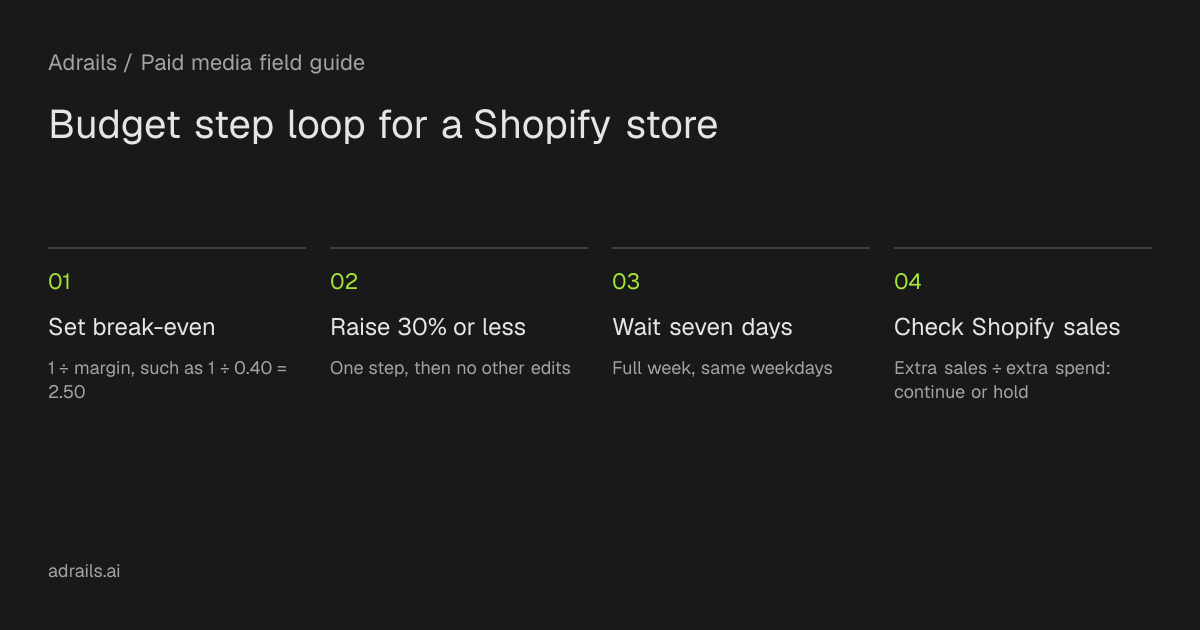
Write down the current daily budget of the one campaign or ad set that owns the budget. Then compute contribution margin: the share of revenue left after product cost, shipping, payment fees and returns. Break-even ROAS is 1 divided by that margin.
In the illustrative example the starting budget is $100 a day and the margin is 40%, so break-even ROAS is 1 ÷ 0.40 = 2.50. Every extra dollar of spend must bring back at least $2.50 of Shopify net sales just to cover costs that grow with each order. This ignores fixed costs and profit, so use a higher target if you need them covered.
04
Step 2: build the ladder
Choose increases of 30% or less. Smaller steps are easier to read and, per Meta, large or frequent budget edits are what to avoid. The example uses +25%, then +20% three times: $100, $125, $150, $180, $216.
Hold each level for seven full days, so every comparison contains the same weekdays. Record the date of each change. Do not edit creative, audience or bid strategy during the same week, otherwise you cannot tell what moved the result.
05
Step 3: check Shopify revenue after each step
After seven days at a level, take Shopify net sales for that week, not the revenue Meta attributes. Subtract the previous week's net sales and divide by the extra ad spend. This marginal return is the number to compare with break-even.
In the example the baseline week has $700 spend and $2,100 net sales. Step 1 spends $875 and sells $2,700: extra sales $600, extra spend $175, marginal return 3.43, above 2.50, so continue. Step 2 spends $1,050 and sells $3,150: $450 on $175 is 2.57, barely above, so continue with care. Step 3 spends $1,260 and sells $3,500: $350 on $210 is 1.67, below 2.50, so hold or return to $150.
06
Step 4: write the stop conditions first
Decide these before the first increase, so a good week does not talk you out of them:
- Marginal return below break-even ROAS for one full week: hold, then step back if it repeats.
- Shopify net sales flat or falling while spend rose.
- Ad set shows Learning limited and cost per purchase is above target.
- Orders counted by Meta and by Shopify drift far apart: fix measurement before any further increase.
- A sale, email send or stock problem distorts the week: repeat the week instead of reading it.
07
What this cannot establish
One week per step is a small sample. Promotions, seasonality, stock and returning customers all move Shopify sales independently of the ads, so a marginal return is a signal, not proof that the ads caused it. Marginal return usually falls as spend grows, but the figures here do not predict where it will fall for your store.
Neither source gives a safe percentage for Meta delivery, and the 30% cap is an Adrails limit, not a Meta rule. Returns and refunds arrive later, so recheck net sales after the return window.
Read more
- Ad budget recommendations: keep, raise, cut or investigateSource and further reading for this guide.
- Learning Limited in Facebook and Meta ads: meaning and fixesSource and further reading for this guide.
- Marketing efficiency ratio (MER): formula and targetSource and further reading for this guide.
Common questions
How big should each Facebook ads budget increase be?
Adrails caps its prepared budget changes at 30% per step. This guide suggests staying at or below that, with 20% to 25% in the example, and waiting seven days between steps. The smaller size is a judgment, not a Meta rule.
Why use Shopify net sales instead of Ads Manager revenue?
Store revenue counts each order once, while platform attribution can credit the same order to more than one platform. Use Shopify net sales for the check and keep Ads Manager results for delivery and CPA.
Does raising the budget reset the learning phase?
Meta says frequent budget changes can cause an ad set to re-enter the learning phase and that significant edits can reset it. It does not give a percentage here, so space steps out and record each change.