Conversions API worksheet
Conversions API for a Shopify store: pick a setup path and record it
Meta lists five Conversions API setup options. For a Shopify store the commerce platform partner integration is the one to check first, because Meta says it takes a few clicks at no extra cost. This guide compares the options, explains Shopify's data-sharing levels, and gives a worksheet and before and after log for an invented store.
By Adrails · AI-assisted guide · Published
Working reference
Harbor Lane Candles (invented): Conversions API path worksheet
| Item | Entry for the invented store | Evidence type |
|---|---|---|
| Current event sources | Shopify Meta pixel on Standard, one Meta pixel, no server sender | Own check in Shopify settings |
| Event sources needed | Web only: ViewContent, AddToCart, InitiateCheckout, Purchase | Own decision; event names from Shopify help |
| Setup option chosen | Commerce platform partner integration (Shopify) | Meta comparison page |
| Why not direct integration | No developer; no app or offline events; Meta cites 2 to 4 weeks for new builds | Meta comparison page plus own constraints |
| Shopify data-sharing level | Enhanced (shares name, location, email, phone) | Shopify help page |
| Privacy policy reviewed | Updated before the change; owner approved | Own check |
| Before log (7 days) | 140 orders, 98 Purchase events, 70 percent | Own count (invented) |
| After log (7 days) | 150 orders, 132 Purchase events, 88 percent; deduplication check logged | Own count (invented) |
Illustrative values for an invented store. The last column shows whether each entry comes from a vendor document or from your own manual check.
01
Short answer: check the Shopify partner path first
Meta's comparison page describes five ways to set up the Conversions API: Meta-enabled, direct integration using code, partner integrations, commerce platform partner integrations, and CRM partner integrations. This guide covers the first four and leaves out CRM partner integrations, which Meta describes as connecting lead data. Meta's comparison chart itself has only three columns: Meta-enabled, Direct Integration and Meta Partners.
Meta names Shopify among commerce platforms and says setup takes just a few clicks at no additional cost. For a store that only needs website events, that is the option to evaluate first.
Direct integration is for more control or for sources beyond the web. Meta says it requires a developer, cost depends on development and maintenance, and a new integration takes 2 to 4 weeks. For mobile app or physical store (offline) events, Meta says direct integration is the only available option at this time.
The Meta-enabled setup is web-only, one click, free, and needs a Meta Pixel. Meta's page does not say how it interacts with a Shopify store's own channel, so treat it as a comparison point, not a Shopify recommendation.
02
Connect the path to Shopify's data-sharing level
Shopify's help page offers three data-sharing levels. Standard uses the Meta pixel only, and a browser-based ad blocker can stop it. Enhanced uses the Conversions API as well as the pixel; Shopify says the purchase event is sent server to server, which browser ad blockers cannot block. Maximum also uses the Conversions API and the pixel, and is updated with Meta's latest advertising technology. Shopify adds that the levels offer different privacy settings depending on when you installed Facebook and Instagram by Meta.
Shopify says Enhanced and Maximum share customer name, location, email address and phone number, plus browsing behavior, to match users on Meta's network. Shopify tells merchants to keep their privacy policy up to date and says reviewing Meta's privacy best practices is their obligation. Record the level you pick and who approved it, because it is a data decision as well as a tracking one.
In Shopify admin, go to Sales channels > Facebook & Instagram > Settings > Data sharing settings. Activate customer data sharing, select the level, and click Connect on a pixel if none is connected.
03
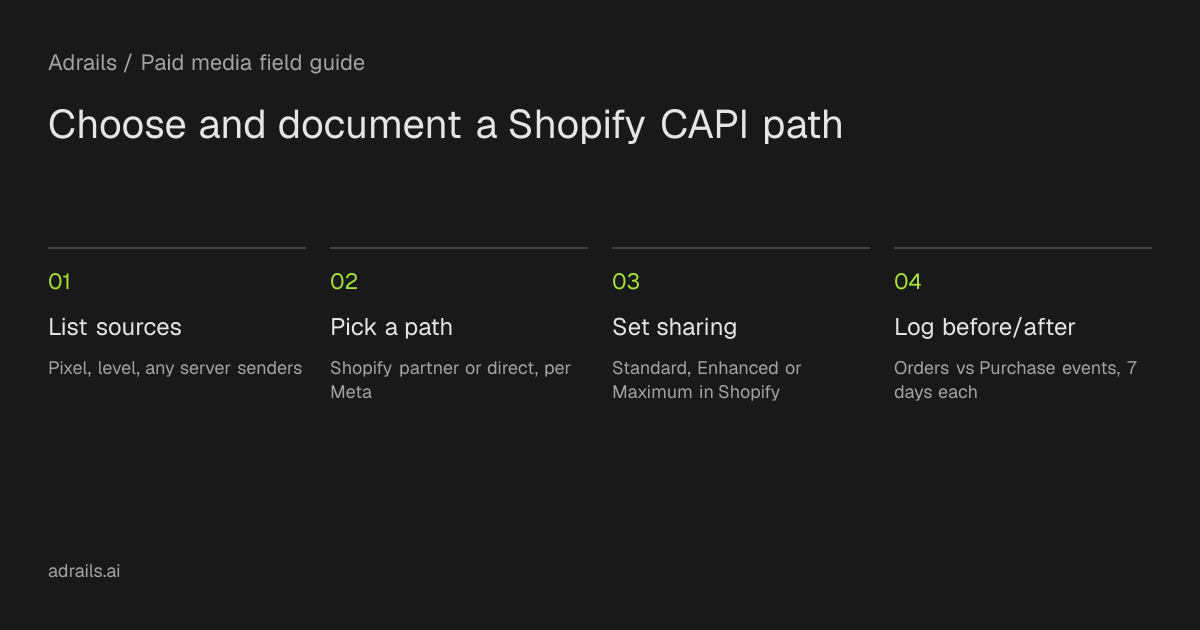
Suggested procedure: record, switch, then compare
This is a suggested manual procedure from the editors, not an Adrails feature or documented product behavior. It keeps the evidence from each system separate.
- Step 1: List every current event source. Check the Facebook & Instagram settings in Shopify for the connected pixel and level, and note other pixels or server senders you know about.
- Step 2: Note the event types you need. Shopify lists the pixel events PageView, ViewContent, Search, AddToCart, InitiateCheckout, AddPaymentInfo and Purchase. For app or offline events, Meta points to direct integration.
- Step 3: Choose a path from Meta's comparison and write down why, citing cost, time, resources and action source.
- Step 4: Record a baseline for the 7 days before the change: Shopify order count and Purchase events in Events Manager.
- Step 5: Make the change in Shopify and note the date, time and person.
- Step 6: After a full 7 days, record the same two numbers and any diagnostics Events Manager shows.
- Step 7: Check deduplication yourself. Meta says automatic deduplication applies to pixel events shared through the Meta-enabled setup; the sources do not state it for your Shopify configuration, so verify and log the result.
04
Worked example with an invented store
Harbor Lane Candles is invented, for illustration only. It has one Shopify store, one Meta pixel and no app or offline sales. It was on Standard. The owner picks the Shopify commerce platform partner path and Enhanced, because the store needs web purchase events and has no developer.
In the 7 days before, Shopify showed 140 orders and Events Manager showed 98 Purchase events: 98 / 140 = 70 percent. In the 7 days after, Shopify showed 150 orders and Events Manager 132 Purchase events: 132 / 150 = 88 percent. These numbers are made up and prove nothing about any real store.
Even with real numbers, a rise would not prove the Conversions API caused it. Order volume, ad blockers, traffic mix and reporting delays can all move the ratio. Meta notes that Ads Manager, Ads Reporting and Events Manager can differ, so compare the same screen across both periods.
05
Where Adrails fits, and where it does not
Adrails documents a separate forwarding path. Once your server sends events signed with the server key, Adrails can pass them to Meta's Conversions API. Events from the script on your pages stay in Adrails and are not forwarded. Adrails sends event_id so Meta can match it with the same event from your pixel and count it once.
Adrails also holds back signed events above its per-event value limit or its daily limit per platform; they are still recorded in Adrails. Only owners and administrators can change these settings. The tracking settings show Sent, Waiting and Refused counts for the last 30 days.
The Adrails page does not describe a Shopify integration, so do not assume Shopify orders reach Meta through Adrails. If you add Adrails forwarding alongside Shopify's data sharing, run and log your own deduplication check.
06
What this evidence cannot establish
The sources do not show how many more conversions you will see, how Shopify's levels map to Meta's option names beyond Enhanced and Maximum using the Conversions API, or how match quality will change. They do not cover your legal obligations, so check your privacy policy and local rules. Treat the worksheet as a record of a decision and of your own measurements.
Read more
- Send conversions to Meta and Google AdsSource and further reading for this guide.
Common questions
Does a Shopify store need a developer to use the Conversions API?
Meta says commerce platform partner integrations, including Shopify, take just a few clicks at no additional cost. Direct integration with code requires a developer. Your store's needs decide which applies.
Which Shopify data-sharing level uses the Conversions API?
Shopify's help page says Enhanced and Maximum use the Conversions API alongside the Meta pixel. Standard uses the pixel only. Enhanced and Maximum share customer name, location, email and phone.
Can Adrails forward my Shopify orders to Meta?
The Adrails forwarding documentation covers events your server sends with the server key. It does not describe a Shopify connection, so that cannot be assumed. Script events from your pages are not forwarded.
How do I know if the switch worked?
Compare the same counts before and after, such as Shopify orders and Purchase events in Events Manager, and review diagnostics there. A change in the ratio is suggestive, not proof of cause.